
Open source · speaks the Supabase APIs
Your backend, on your own server.
Postgres with an instant API, sign-in, file storage, realtime and edge functions, with a dashboard to run it all. On a home server, a NAS or a Raspberry Pi, and your apps keep using supabase-js.
- 1 to 2 GB of RAM
- amd64 and arm64
- Many projects per server
Install in one command
The installer checks every file it downloads against published checksums, writes random passwords, starts Keel and prints your sign-in. Run it again to update; the keel command can roll back.
Want to read it first? install.sh · install.ps1 · Requirements
curl -fsSL https://www.keeldb.name/install.sh | sudo bash# Docker Desktop, OrbStack or Colima; run as yourself, without sudo
curl -fsSL https://www.keeldb.name/install.sh | bash# PowerShell with Docker Desktop: no WSL, no admin rights
irm https://www.keeldb.name/install.ps1 | iex1. Open your NAS's compose screen: ZimaOS App Store (custom app),
Unraid Compose Manager, TrueNAS "Install via YAML",
or Synology Container Manager
2. Paste https://www.keeldb.name/nas-docker-compose.yml
3. Fill in the CHANGE_ME values and KEEL_PUBLIC_URL, then start itmkdir keel && cd keel
curl -fsSLO https://www.keeldb.name/docker-compose.yml
curl -fsSL https://www.keeldb.name/keel.env.example -o .env
# Fill in the passwords and KEEL_PUBLIC_URL in .env, then:
docker compose up -dSupabase-compatible
Keep the Supabase client you know
Keel speaks the same HTTP and WebSocket APIs, so moving an app is a new URL and key. Queries, sign-in, uploads and subscriptions work as they do on Supabase, and every change to Keel is tested against a running server with supabase-js v2.
import { createClient } from '@supabase/supabase-js'

const keel = createClient('https://abcd.supabase.co', ANON_KEY)
const keel = createClient('http://192.168.1.20:8000/my-app', ANON_KEY)

await keel.auth.signInWithOAuth({ provider: 'github' })

const { data } = await keel
  .from('recipes')
  .select('title, author:profiles(display_name)')

keel.channel('kitchen')
  .on('postgres_changes', { event: '*', schema: 'public', table: 'recipes' }, show)
  .subscribe()
What's included
Everything an app needs behind it
One install runs many projects. Each gets its own database, keys, users and files.
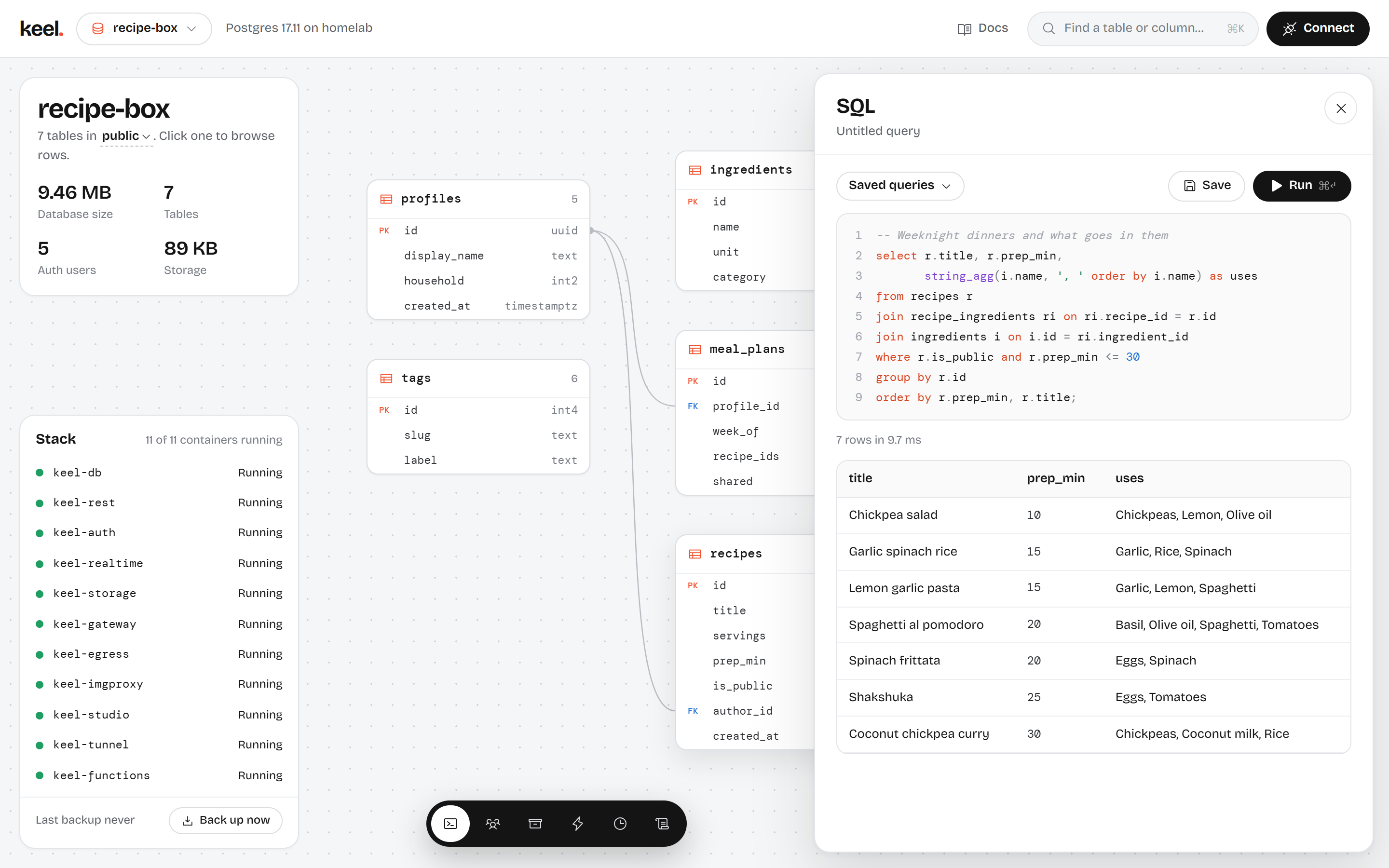
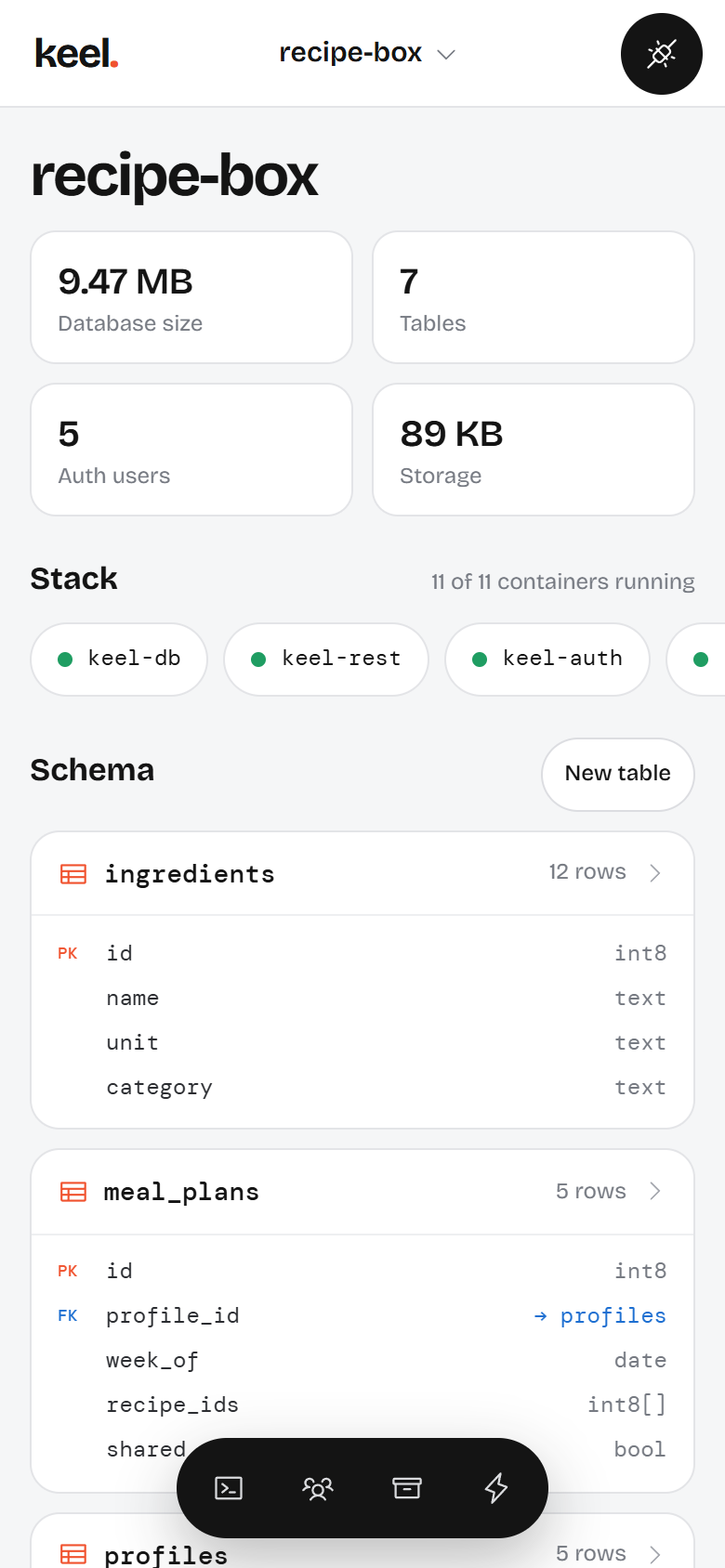
cron.schedule, net.http_post and Supabase's database webhooks in every project. Requests go out through a sandboxed sender.Backups that leave the houseEncrypted full backups of every database, setting and uploaded file, copied each night to any S3-compatible bucket: Backblaze B2, Cloudflare R2, Wasabi, MinIO or AWS. ./keel restore rebuilds the whole install on a new machine.StudioTables, SQL, users, files, functions, jobs, logs and backups in one dashboard, with two-factor sign-in. It works on a phone too, and can hand a ready-made prompt to AI coding agents.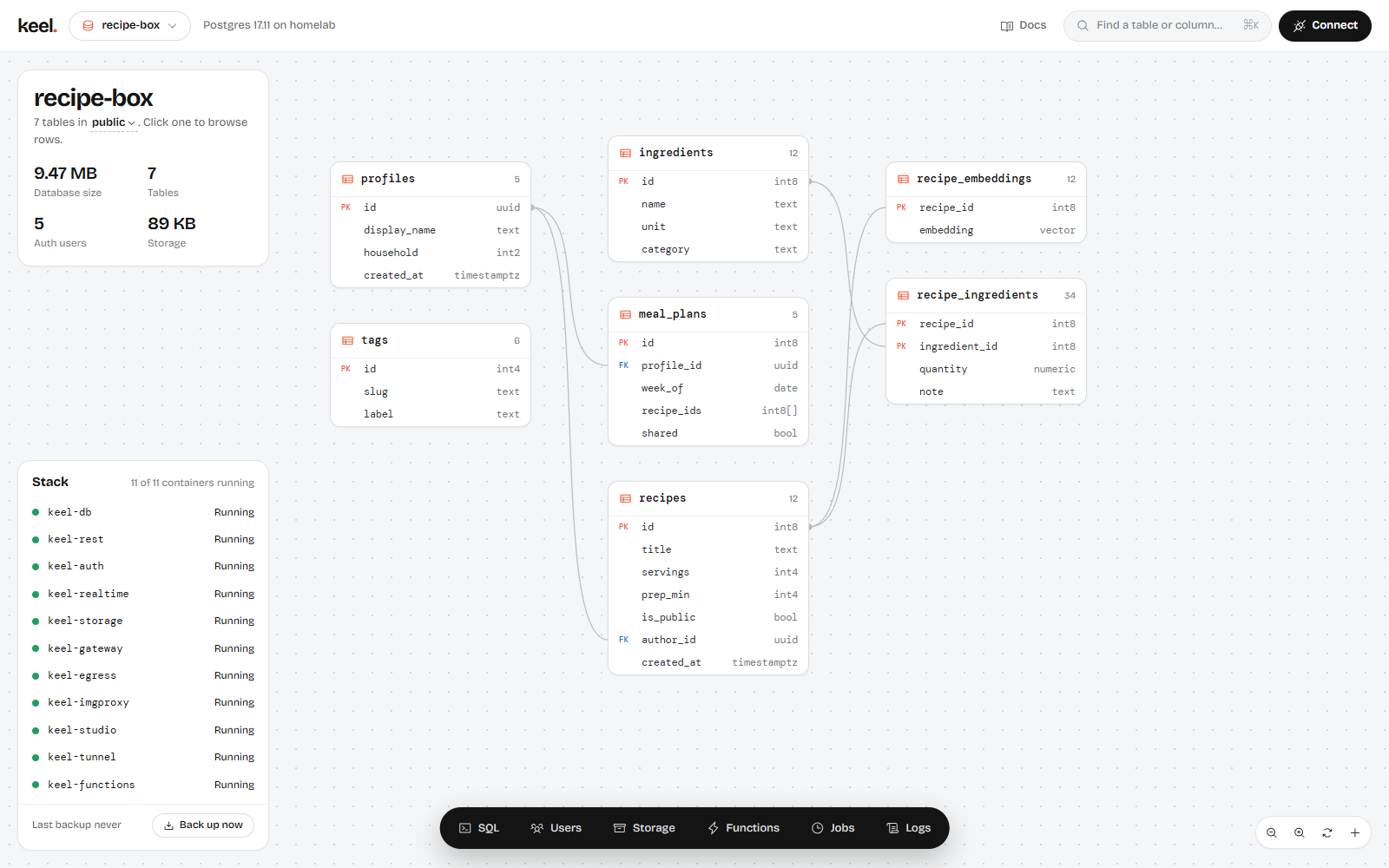
Security
Safe defaults, for a server that lives on your network
Every feature that touches sign-in, secrets, SQL or the network gets a security review before it ships. And Keel sends nothing home: no analytics and no telemetry, only an optional daily check for new releases.
Read the security guide- Closed until you open itStudio and Postgres listen on the machine only; the API on your network. Row level security is on for every new table.
- Secrets per projectEach project signs its own tokens. Roll keys from Studio; sign-in provider secrets are stored encrypted.
- Sandboxed code and requestsEdge functions and HTTP calls from SQL can't reach your LAN, Keel's containers or cloud metadata addresses.
- Hardened containersNo Linux capabilities, read-only filesystems where possible, and a Docker socket proxy that only allows status, logs and restarts.
- Quiet logsSign-in links, codes, email addresses and phone numbers stay out of them.
- Releases you can verifySigned images with an SBOM and build provenance, scanned before they're published. Installers check every file they download.
Online without opening your router
Paste a Cloudflare Tunnel token into Studio and your API is online at your own domain. The tunnel reaches Keel and nothing else on the machine; Studio stays private.
Moving from Supabase?
The importer copies tables, data, users (their passwords keep working), policies, pgvector and PostGIS data, and files into a Keel project. Supabase is only read.
An honest comparison
Keel and Supabase
A different trade-off, not a replacement for everything Supabase does. Supabase's columns are a summary; check Supabase's docs for each plan, and Keel's gaps area by area in Supabase compatibility.
| Feature | Keel | Supabase Cloud | Supabase self-hosted |
|---|---|---|---|
| Runs on | Your machine | Supabase's servers | Your machine |
| Install | One installer per platform: Linux, macOS, Windows, NAS | Sign up | Docker Compose; you set the keys and config |
| Projects per server | Many, each with its own database, keys and URL | Many | One per stack |
| Dashboard login | Accounts with two-factor | Accounts with two-factor and SSO | One shared username and password |
| REST, auth, storage, realtime, edge functions | Yes | Yes | Yes |
pgvector, PostGIS, cron, pg_net, webhooks | Yes | Yes | Yes |
| Encrypted off-site backups | Built in, to any S3 bucket | Managed daily backups | Bring your own |
| Point-in-time recovery, branching, read replicas | No | Yes (paid plans) | No |
| GraphQL, Vault, connection pooler | No | Yes | Yes |
| Storage over the S3 protocol, SAML SSO | No | Yes (SAML on paid plans) | Partly; see Supabase's docs |
| Automatic scaling, global edge network | No, one server | Yes | No |
| Price | Free (MIT) | Free tier, then paid plans | Free (Apache 2.0) |
Questions
Frequently asked
Is Keel made by Supabase, or does it use Supabase's servers?
No. Keel is independent software that implements the same APIs. It never contacts Supabase unless you use the importer to move a project over, and then it only reads.
What hardware do I need?
A 64-bit machine with Docker and 1 to 2 GB of free memory: a mini PC, a NAS, a Raspberry Pi 4 or 5, or a spare PC. A machine that stays on is best for apps other devices rely on. See Requirements.
Does it need an internet connection?
Only to download Keel and its updates. After that it runs on your network, documentation included. To reach it from outside, use a Cloudflare Tunnel or your own reverse proxy with HTTPS.
Does Keel collect data about me or my users?
No. There's no analytics or telemetry. Studio checks once a day, while you use it, whether a newer release exists; the request carries no cookie, version or ID, and KEEL_UPDATE_CHECK=off turns it off.
Will my existing Supabase app work?
Most apps only need a new URL and key. The API URL includes the project (http://<server>:8000/my-app), so pass the full URL to createClient. The compatibility page lists what works, what differs and what isn't there yet.
Can I run it for a small company?
Yes, for internal tools and apps that fit on one server. Put it behind HTTPS, turn on full backups to an off-site bucket, and read the security guide first. Keel doesn't scale across servers and Studio has a single admin today.
Run it on the machine you already have.
Install in a few minutes, create a project in Studio, and point your app at it.
Keel is independent software and is not affiliated with Supabase.